Markdown compatibility1 detected · 1 enabled · 0 broken links · 0 missing assets · mkdocs docs
- HomeCurrent page
- Getting starteddocs/getting-started.md
- Core conceptsdocs/core-concepts.md
- Demo walkthroughdocs/demo-walkthrough.md
- Review pull requestsdocs/review-pull-requests.md
- Review repository branchesdocs/review-repository-branches.md
- Draft reviewsdocs/draft-reviews.md
- Brainstorming Reviewsdocs/brainstorming-reviews.md
- Live Preview Reviewsdocs/web-app-reviews.md
- Commentary Formsdocs/commentary-forms.md
- Review progressdocs/review-progress.md
- Review modesdocs/review-modes.md
- Workspacedocs/workspace.md
- Markdown renderingdocs/markdown-rendering.md
- Markdown extensionsdocs/markdown-extensions.md
- Static HTML reviewdocs/static-html-review.md
- Knowledge Braindocs/knowledge-brain.md
- Access and authenticationdocs/access-and-authentication.md
- Developer accessdocs/developer-access.md
- Generate a GitHub PATdocs/generate-a-github-pat.md
- Azure DevOpsdocs/azure-devops.md
- Commentary CLIdocs/commentary-cli.md
- Agent skillsdocs/agent-skills.md
- API and MCPdocs/api-and-mcp.md
- API referencedocs/api/reference.md
- MCP toolsdocs/api/mcp-tools.md
- Blogdocs/blog.md
- Troubleshooting and FAQdocs/troubleshooting-and-faq.md
- MkDocsMkDocs rendering is enabled. MkDocs-specific syntax remains visible as ordinary Markdown when compatibility rendering is unavailable.
Commentary Docs
Commentary helps teams review Markdown, MDX, static HTML, private local drafts, structured Forms, and interactive preview apps like reviewable documents instead of diffs. It opens GitHub and Azure DevOps pull requests, branches, files, folders, repositories, draft review sessions, and review-hosted form sources in a reading-first workspace, keeps rendered documents at the center, and lets reviewers comment on paragraphs and semantic blocks instead of raw line numbers.
These docs are written for people using commentary.dev. They cover public read-only review, authenticated commenting, GitHub App access, Azure DevOps access, personal access token fallbacks, draft reviews, Brainstorming Reviews, Commentary Forms, Markdown extensions, static HTML review, Live Preview Reviews, Knowledge Brain review, workspace queues, developer access, the Commentary CLI, agent skills, API access, and MCP.
Start Here
- New to Commentary: Getting started
- Need the product model first: Core concepts
- Reviewing a pull request: Review pull requests
- Reviewing docs before a PR exists: Review repository branches
- Reviewing a local or agent-generated draft: Draft reviews
- Refining a plan with consensus: Brainstorming Reviews
- Collecting structured answers: Commentary Forms
- Reviewing a running app preview: Live Preview Reviews
- Tracking reviewed files and sections: Review progress
- Managing repository queues: Workspace
- Using Azure DevOps: Azure DevOps
- Understanding review modes: Review modes
- Markdown behavior: Markdown rendering
- Markdown extensions and docs previews: Markdown extensions
- Reviewing static HTML: Static HTML review
- Reviewing Knowledge Brain and OKF bundles: Knowledge Brain
- Connecting accounts: Access and authentication
- Creating API tokens and grants: Developer access
- Using the terminal companion: Commentary CLI
- Using agent workflows: Agent skills
- Using API or MCP clients: API and MCP
- API endpoint reference: API reference
- MCP tool reference: MCP tools
- Creating a GitHub fallback token: Generate a GitHub PAT
- Trying the sandbox: Demo walkthrough
- Reading field notes: Blog
- Hit a rough edge: Troubleshooting and FAQ
Fast Paths
- Open /.
- Paste a GitHub or Azure DevOps PR, branch, repository, file, or folder URL.
- Click
Open review. - Read in
PreviewandLatest. - Sign in when you want to comment, reply, submit a review, create or share drafts, create Live Preview Reviews, manage Forms, or use API/MCP access.
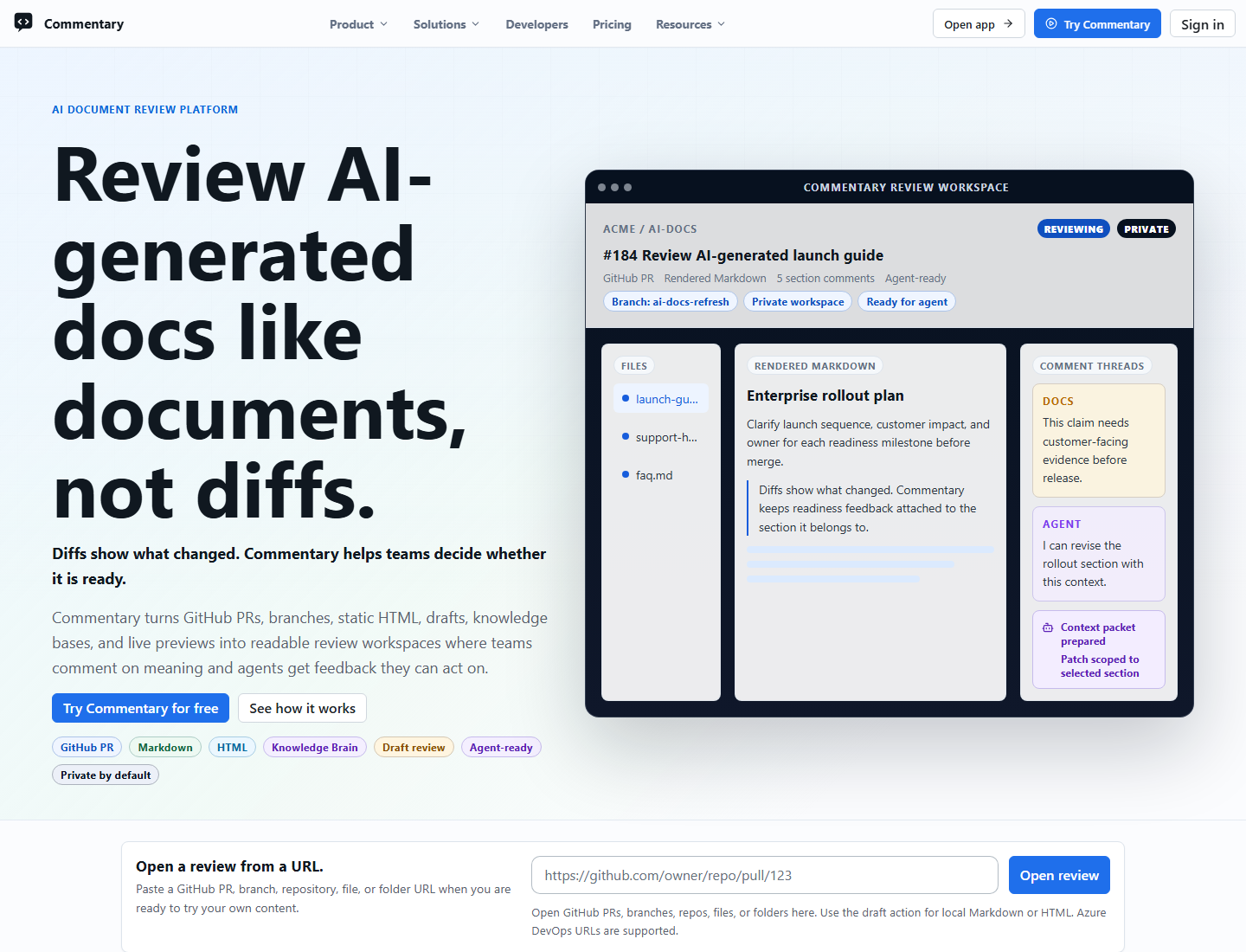
For a guided sample, open /demo/select. For cross-repository work, sign in and open /workspace. For source-backed form results, open /workspace/forms. For draft review before content exists in Git, open /workspace/drafts/new. For interactive preview apps, open /workspace/web-app-reviews/new.
Current Product Shape
- Public GitHub PRs open without login for read-only review.
- Commenting, replies, review submission, private content, workspaces, draft reviews, Forms management, API tokens, and MCP access require authentication.
- GitHub App is the default GitHub connection for workspace discovery and private access. GitHub PAT remains the advanced fallback.
- Azure DevOps supports Microsoft Entra sign-in and PAT fallback.
- Pull request review supports
Preview,Raw,Latest,Diff, docs preview, Present mode, all-change and commit-specific change sets, comments, live GitHub comment sync, refresh, and review submission. - Direct document review supports branches, folders, Markdown, MDX, static HTML files, standalone Form Contract files, branch selectors, commit-specific diff context, and Commentary-only comments.
- Latest rendered Markdown supports H2-H6 heading folding, collapse-all URL state, folded comment counts, and copyable heading deep links.
- Draft reviews support pasted or uploaded Markdown, MDX, HTML, plain text, and Form Contract files before content exists in Git, with revisions, live updates, sharing, export, agent instructions, CLI workflows, API access, and MCP access.
- Brainstorming Reviews extend draft reviews with plan-of-record revisions, feedback signals, consensus rules, decision polls, and agent-ready accepted-change workflows.
- Commentary Forms collect structured answers from review-hosted YAML/JSON contracts, Markdown embeds, static HTML bindings, draft uploads, response links, custom renderer bridges, and API/MCP workflows.
- Live Preview Reviews load customer-owned deployed or localhost preview apps in your browser, use the opt-in Review SDK for element selection, support full page mode, and let deployed review owners create share links.
- Signed-in reviewers can track personal file and section progress, resume later, and filter by progress.
- Review comments can render safe Markdown, support long-form reading, sync eligible GitHub PR comments, and include poll comments when structured feedback is useful.
- Markdown rendering supports common docs-framework syntax, MDX safety fallbacks, wikilinks, embeds, Mermaid, slides, safe raw HTML, docs previews, repository-aware links, heading folding, and heading deep links.
- Knowledge Brain mode groups source, wiki, output, and control files, supports Open Knowledge Format review profiles, adds health and review context, and supports public reader pages for published public brains.
- The public API, OpenAPI contract, MCP endpoint, CLI, and agent skills let approved clients read anchors and comments, create comments, manage draft, Brainstorming, Forms, and Live Preview Reviews, inspect review progress, read poll outcomes, reply, update thread status, and inspect Knowledge Brain review state.
In This Repo
This repository is also the public branch review example for Commentary's direct document review flow. The root README.md is the landing page for /docs, and the rest of the guides live in docs/ with relative Markdown links between them.