Markdown compatibility1 detected · 1 enabled · 0 broken links · 0 missing assets · mkdocs docs
- HomeREADME.md
- Getting starteddocs/getting-started.md
- Core conceptsdocs/core-concepts.md
- Demo walkthroughdocs/demo-walkthrough.md
- Review pull requestsdocs/review-pull-requests.md
- Review repository branchesdocs/review-repository-branches.md
- Draft reviewsdocs/draft-reviews.md
- Brainstorming Reviewsdocs/brainstorming-reviews.md
- Live Preview Reviewsdocs/web-app-reviews.md
- Commentary Formsdocs/commentary-forms.md
- Review progressdocs/review-progress.md
- Review modesdocs/review-modes.md
- Workspacedocs/workspace.md
- Markdown renderingdocs/markdown-rendering.md
- Markdown extensionsdocs/markdown-extensions.md
- Static HTML reviewdocs/static-html-review.md
- Knowledge Braindocs/knowledge-brain.md
- Access and authenticationCurrent page
- Developer accessdocs/developer-access.md
- Generate a GitHub PATdocs/generate-a-github-pat.md
- Azure DevOpsdocs/azure-devops.md
- Commentary CLIdocs/commentary-cli.md
- Agent skillsdocs/agent-skills.md
- API and MCPdocs/api-and-mcp.md
- API referencedocs/api/reference.md
- MCP toolsdocs/api/mcp-tools.md
- Blogdocs/blog.md
- Troubleshooting and FAQdocs/troubleshooting-and-faq.md
- MkDocsMkDocs rendering is enabled. MkDocs-specific syntax remains visible as ordinary Markdown when compatibility rendering is unavailable.
Access And Authentication
Commentary keeps public reading easy and asks for authentication when a workflow needs provider access, write permission, private draft access, or developer credentials.
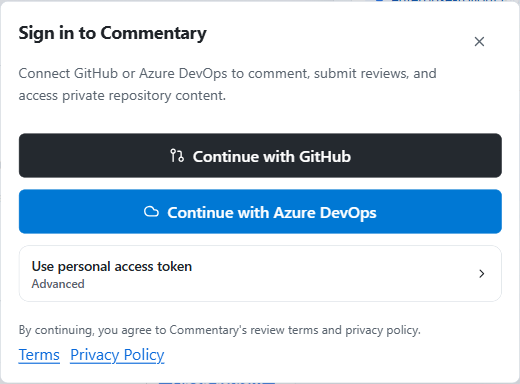
Provider Sign-In
Use the normal sign-in paths first:
Continue with GitHubfor GitHub App access, workspace discovery, private repositories, comments, PR review submission, draft reviews, and API/MCP credentials.Continue with Azure DevOpsfor Microsoft Entra access to Azure DevOps organizations, projects, repositories, and pull requests.
Account And Installation Recovery
GitHub workspace discovery depends on GitHub App installation scope. If Commentary cannot access a repository, the recovery surface may offer:
- install Commentary for the repository
- switch account
- add another GitHub account
- use a PAT fallback
Azure DevOps recovery depends on the active Microsoft account, granted scopes, organization access, and optional review-decision consent.
PAT Fallbacks
Use a personal access token only when the normal provider sign-in path is unavailable or blocked by organization policy.
PAT is useful when:
- OAuth or app installation is blocked
- you need explicit token-scoped access
- you are working in a locked-down environment
For GitHub token setup, see Generate a GitHub PAT. For Azure DevOps, use the Azure DevOps PAT option in the sign-in dialog and keep the token scoped to the repositories you need.
Public vs Private Access
Public GitHub pull requests
- can open without login
- stay read-only until you authenticate
- may show a rate-limit message if anonymous GitHub API access is exhausted
Private repositories and workspaces
- require provider access
- may look unavailable until you sign in with an account that can reach the repository
- may require GitHub App installation or Azure DevOps organization permission
Draft reviews
- require sign-in to create
- are private to Commentary unless shared by the owner
- require sign-in to claim or open a shared link
- do not grant provider repository write access
API And MCP Access
API tokens, OAuth grants, device authorization, and MCP access require an authenticated Commentary session. Manage credentials in Developer access, then use the endpoints and tools documented in API and MCP.