Markdown compatibility2 detected · 0 enabled · 0 missing assets · mkdocs docs · 2 warnings
Docs project
mkdocs · Demo Walkthrough · 28 section pages
Demo Walkthrough
- HomeREADME.md
- Getting starteddocs/getting-started.md
- Core conceptsdocs/core-concepts.md
- Demo walkthroughCurrent page
- Review pull requestsdocs/review-pull-requests.md
- Review repository branchesdocs/review-repository-branches.md
- Draft reviewsdocs/draft-reviews.md
- Brainstorming Reviewsdocs/brainstorming-reviews.md
- Live Preview Reviewsdocs/web-app-reviews.md
- Commentary Formsdocs/commentary-forms.md
- Review progressdocs/review-progress.md
- Review modesdocs/review-modes.md
- Workspacedocs/workspace.md
- Markdown renderingdocs/markdown-rendering.md
- Markdown extensionsdocs/markdown-extensions.md
- Static HTML reviewdocs/static-html-review.md
- Knowledge Braindocs/knowledge-brain.md
- Access and authenticationdocs/access-and-authentication.md
- Developer accessdocs/developer-access.md
- Generate a GitHub PATdocs/generate-a-github-pat.md
- Azure DevOpsdocs/azure-devops.md
- Commentary CLIdocs/commentary-cli.md
- Agent skillsdocs/agent-skills.md
- API and MCPdocs/api-and-mcp.md
- API referencedocs/api/reference.md
- MCP toolsdocs/api/mcp-tools.md
- Blogdocs/blog.md
- Troubleshooting and FAQdocs/troubleshooting-and-faq.md
Assets
1 resolved · 0 missing
Pro disabled
- MkDocsMkDocs is a Pro Markdown feature that is not enabled for this viewer. MkDocs-specific syntax remains visible as ordinary Markdown when compatibility rendering is unavailable.
- Repository link validationPro can validate links across this repo. Links still render with standard repository-aware rewriting.
DocsDemo Walkthrough
28 pages from docs configurationmkdocs
Demo Walkthrough
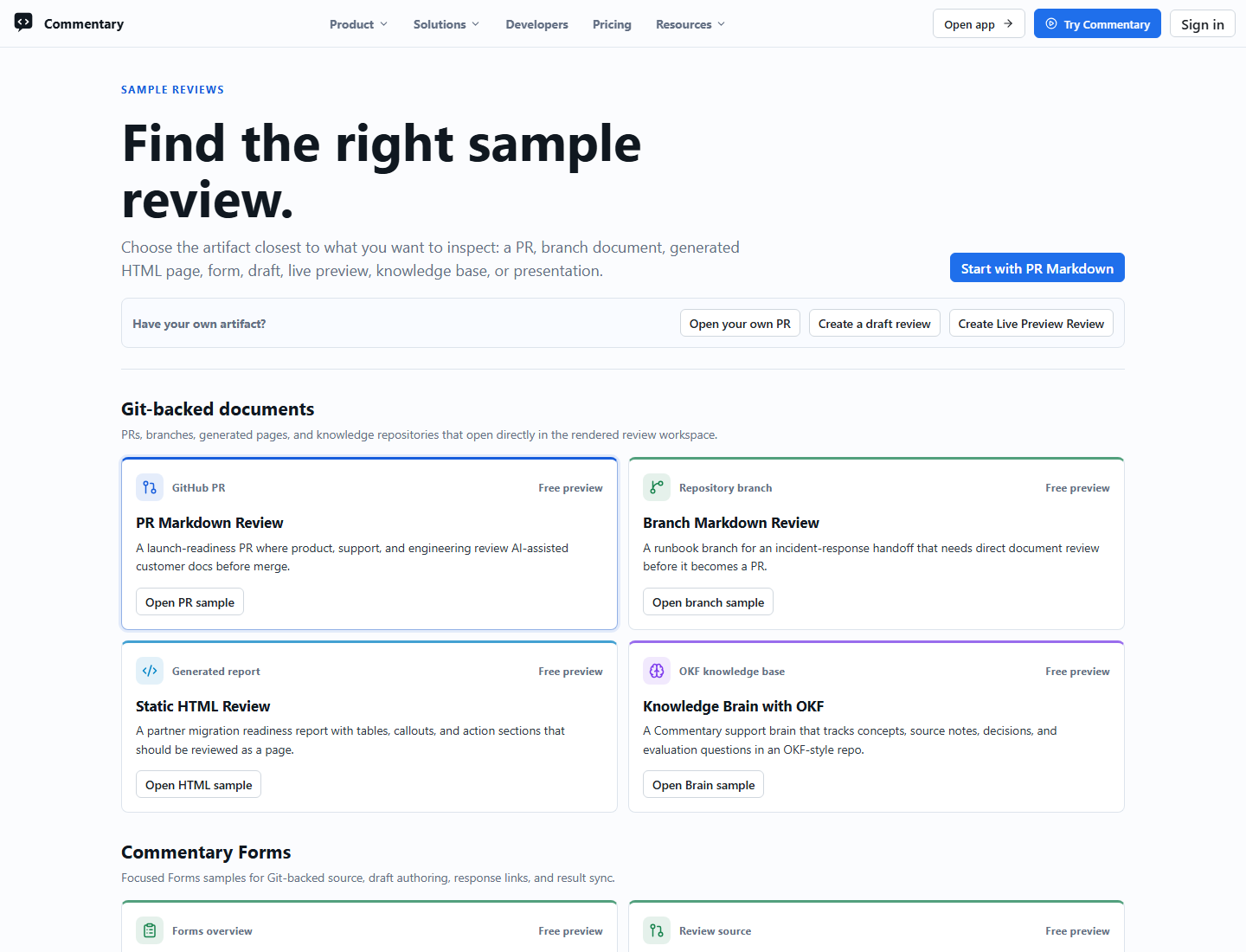
The fastest way to understand Commentary is to open the built-in sample chooser at /demo/select. The older /demo route still opens a guided sample, but /demo/select shows the current set of review workflows.
What The Demo Shows
- a realistic Markdown PR review
- branch Markdown review
- static HTML review
- split Commentary Forms samples
- Draft Review and Brainstorming Review samples
- Knowledge Brain with OKF-shaped content
- Live Preview Review samples
- presentation-mode and Marp samples
- the document-first review shell
- rendered
Previewmode as the default surface LatestandDiffreview modes- file navigation, heading folding, progress, and thread rail behavior
- sign-in prompts before write actions
How To Explore It
- Open /demo/select.
- Choose a sample that matches the workflow you want to evaluate.
- Read the first file in
PreviewandLatest. - Switch files in the navigator.
- Try
Diff, heading folding, and the change-set menu when available. - Open the comments rail.
- Sign in if you want to try authenticated comment, form submission, share, or submit-review behavior.
Forms Samples
The Forms group includes source-backed and result-oriented demos:
/demo/commentary-forms/demo/forms-git-backed/demo/forms-draft-authoring/demo/forms-response-link/demo/forms-results-sync
Use them to see native form rendering, draft authoring, response links, and result handoff without pointing visitors at mutable test repositories.
What The Demo Is Good For
- validating the reading experience before onboarding a team
- showing stakeholders what document-first review means
- learning the review shell before opening your own repository
- comparing Markdown, HTML, Forms, Knowledge Brain, Draft, Brainstorming, and Live Preview workflows
What The Demo Is Not
- it is not your repository
- it is not a private review space
- it is not a mutable writeback target for normal visitors
- it is not the same as direct document review
For repository docs outside a PR, paste a branch, folder, file, or repository URL from the homepage.