Markdown compatibility1 detected · 1 enabled · 0 missing assets · mkdocs docs
Docs project
mkdocs · Demo Walkthrough · 28 section pages
Demo Walkthrough
- HomeREADME.md
- Getting starteddocs/getting-started.md
- Core conceptsdocs/core-concepts.md
- Demo walkthroughCurrent page
- Review pull requestsdocs/review-pull-requests.md
- Review repository branchesdocs/review-repository-branches.md
- Draft reviewsdocs/draft-reviews.md
- Brainstorming Reviewsdocs/brainstorming-reviews.md
- Live Preview Reviewsdocs/web-app-reviews.md
- Commentary Formsdocs/commentary-forms.md
- Review progressdocs/review-progress.md
- Review modesdocs/review-modes.md
- Workspacedocs/workspace.md
- Markdown renderingdocs/markdown-rendering.md
- Markdown extensionsdocs/markdown-extensions.md
- Static HTML reviewdocs/static-html-review.md
- Knowledge Braindocs/knowledge-brain.md
- Access and authenticationdocs/access-and-authentication.md
- Developer accessdocs/developer-access.md
- Generate a GitHub PATdocs/generate-a-github-pat.md
- Azure DevOpsdocs/azure-devops.md
- Commentary CLIdocs/commentary-cli.md
- Agent skillsdocs/agent-skills.md
- API and MCPdocs/api-and-mcp.md
- API referencedocs/api/reference.md
- MCP toolsdocs/api/mcp-tools.md
- Blogdocs/blog.md
- Troubleshooting and FAQdocs/troubleshooting-and-faq.md
Assets
1 resolved · 0 missing
Enabled
- MkDocsMkDocs rendering is enabled. MkDocs-specific syntax remains visible as ordinary Markdown when compatibility rendering is unavailable.
DocsDemo Walkthrough
28 pages from docs configurationmkdocs
Demo Walkthrough
The fastest way to understand Commentary is to open the built-in sample chooser at /demo/select. The older /demo route still opens a guided sample, but /demo/select shows the current set of review workflows.
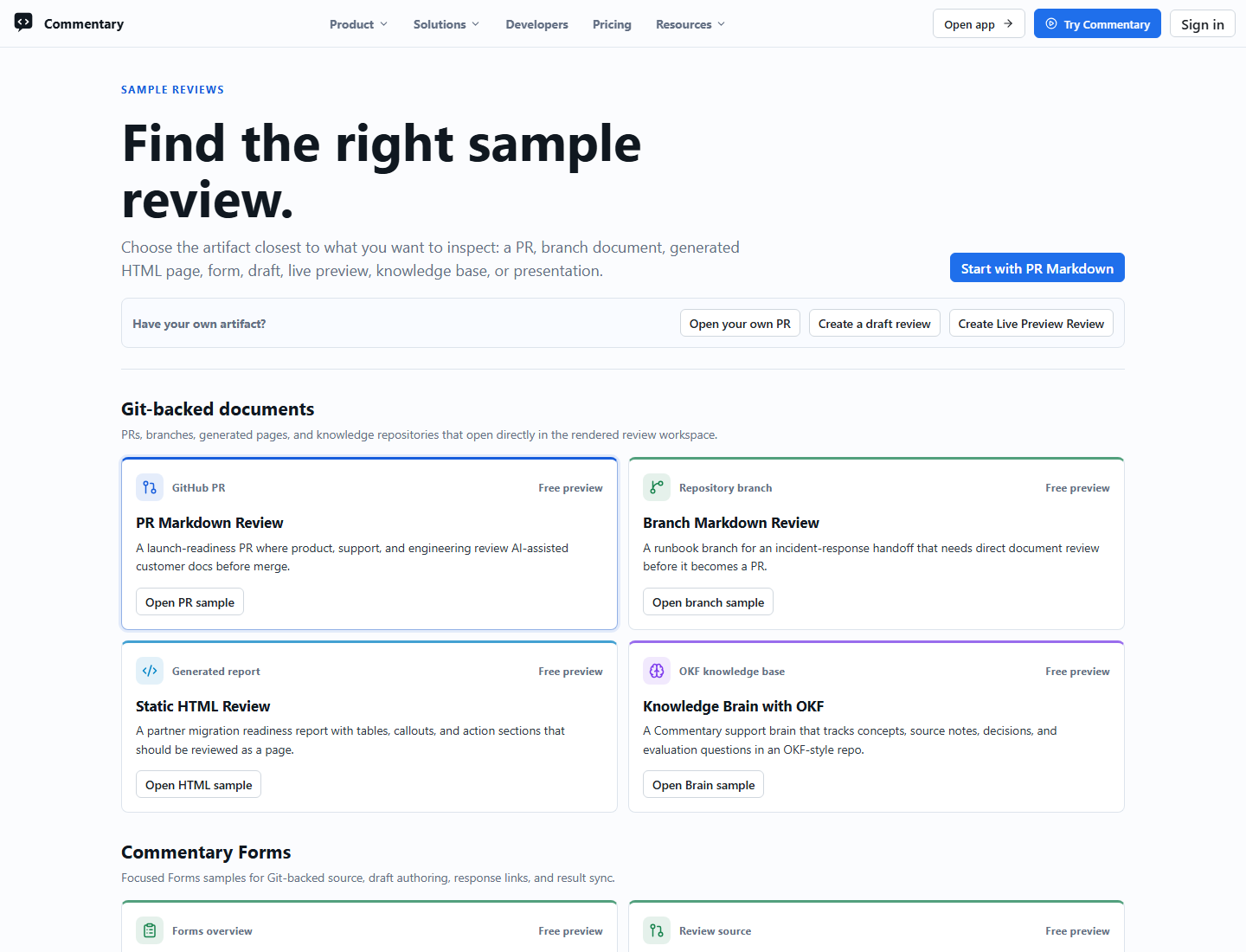
What The Demo Shows
- a realistic Markdown PR review
- branch Markdown review
- static HTML review
- split Commentary Forms samples
- Draft Review and Brainstorming Review samples
- Knowledge Brain with OKF-shaped content
- Live Preview Review samples
- presentation-mode and Marp samples
- the document-first review shell
- rendered
Previewmode as the default surface LatestandDiffreview modes- file navigation, heading folding, progress, and thread rail behavior
- sign-in prompts before write actions
How To Explore It
- Open /demo/select.
- Choose a sample that matches the workflow you want to evaluate.
- Read the first file in
PreviewandLatest. - Switch files in the navigator.
- Try
Diff, heading folding, and the change-set menu when available. - Open the comments rail.
- Sign in if you want to try authenticated comment, form submission, share, or submit-review behavior.
Forms Samples
The Forms group includes source-backed and result-oriented demos:
/demo/commentary-forms/demo/forms-git-backed/demo/forms-draft-authoring/demo/forms-response-link/demo/forms-results-sync
Use them to see native form rendering, draft authoring, response links, and result handoff without pointing visitors at mutable test repositories.
What The Demo Is Good For
- validating the reading experience before onboarding a team
- showing stakeholders what document-first review means
- learning the review shell before opening your own repository
- comparing Markdown, HTML, Forms, Knowledge Brain, Draft, Brainstorming, and Live Preview workflows
What The Demo Is Not
- it is not your repository
- it is not a private review space
- it is not a mutable writeback target for normal visitors
- it is not the same as direct document review
For repository docs outside a PR, paste a branch, folder, file, or repository URL from the homepage.