Markdown compatibility2 detected · 0 enabled · 0 missing assets · mkdocs docs · 2 warnings
Docs project
mkdocs · Getting Started · 28 section pages
Getting Started
- HomeREADME.md
- Getting startedCurrent page
- Core conceptsdocs/core-concepts.md
- Demo walkthroughdocs/demo-walkthrough.md
- Review pull requestsdocs/review-pull-requests.md
- Review repository branchesdocs/review-repository-branches.md
- Draft reviewsdocs/draft-reviews.md
- Brainstorming Reviewsdocs/brainstorming-reviews.md
- Live Preview Reviewsdocs/web-app-reviews.md
- Commentary Formsdocs/commentary-forms.md
- Review progressdocs/review-progress.md
- Review modesdocs/review-modes.md
- Workspacedocs/workspace.md
- Markdown renderingdocs/markdown-rendering.md
- Markdown extensionsdocs/markdown-extensions.md
- Static HTML reviewdocs/static-html-review.md
- Knowledge Braindocs/knowledge-brain.md
- Access and authenticationdocs/access-and-authentication.md
- Developer accessdocs/developer-access.md
- Generate a GitHub PATdocs/generate-a-github-pat.md
- Azure DevOpsdocs/azure-devops.md
- Commentary CLIdocs/commentary-cli.md
- Agent skillsdocs/agent-skills.md
- API and MCPdocs/api-and-mcp.md
- API referencedocs/api/reference.md
- MCP toolsdocs/api/mcp-tools.md
- Blogdocs/blog.md
- Troubleshooting and FAQdocs/troubleshooting-and-faq.md
Assets
2 resolved · 0 missing
Pro disabled
- MkDocsMkDocs is a Pro Markdown feature that is not enabled for this viewer. MkDocs-specific syntax remains visible as ordinary Markdown when compatibility rendering is unavailable.
- Repository link validationPro can validate links across this repo. Links still render with standard repository-aware rewriting.
DocsGetting Started
28 pages from docs configurationmkdocs
Getting Started
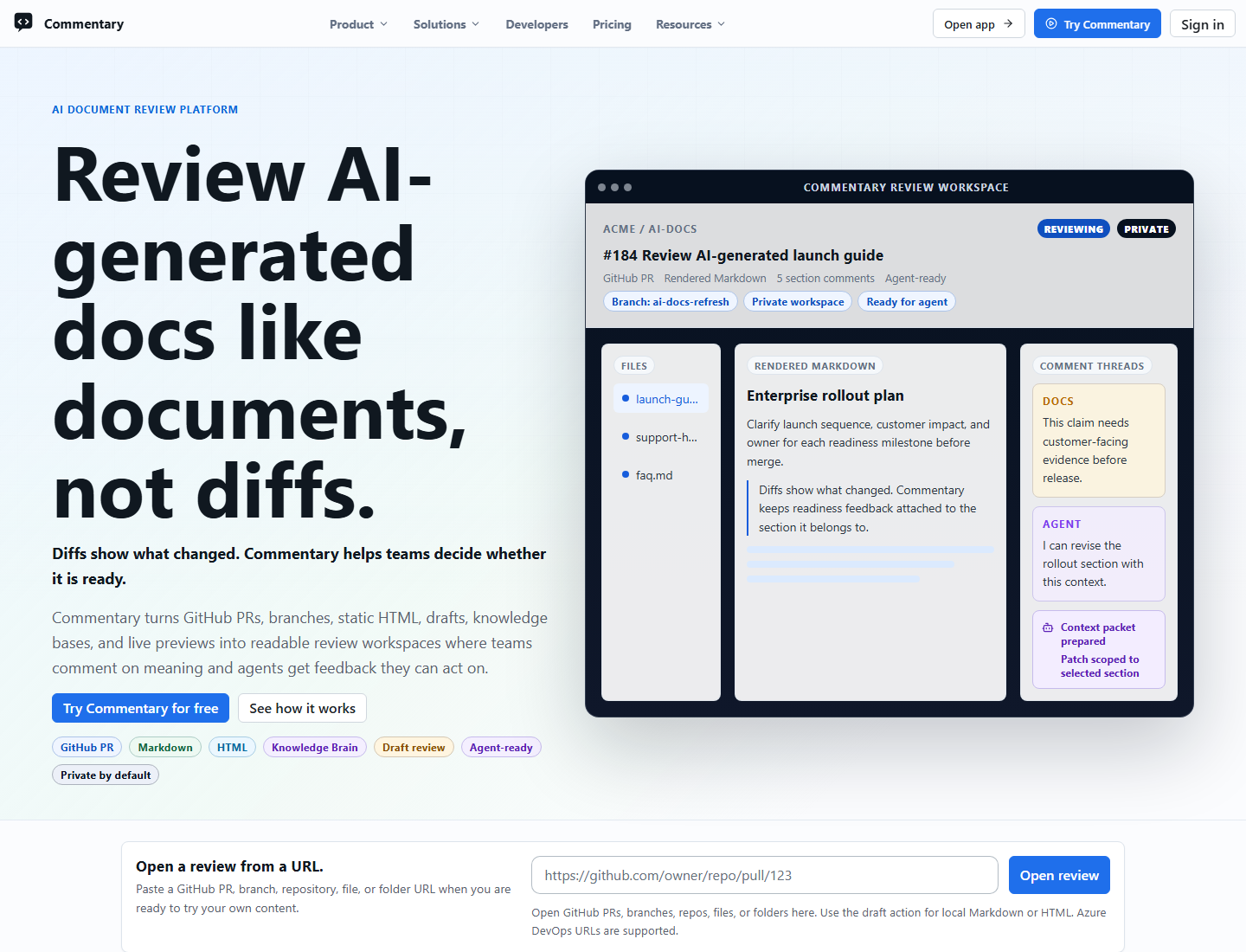
Use Commentary when you want to review Markdown, MDX, static HTML, structured Forms, draft text, or a running app preview as readable review context instead of parsing changed lines.
Fastest First Run
- Open /.
- Paste a GitHub or Azure DevOps URL.
- Click
Open review. - Start in
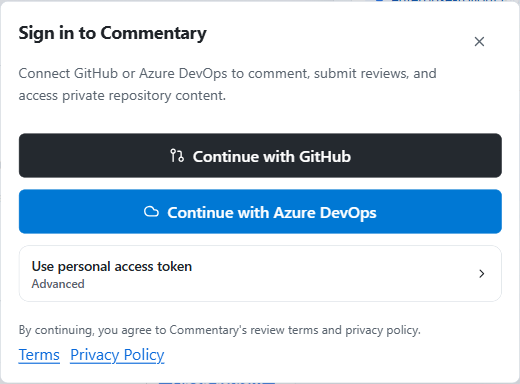
PreviewandLatest. - Sign in only when you need to comment, reply, refresh private content, submit a review, create or share drafts, manage Forms, create Live Preview Reviews, or use developer access.
Commentary accepts pull request, repository, branch, file, and folder URLs. It resolves the URL to the matching review surface for Markdown, MDX, static .html or .htm documents, and standalone Form Contract files.
What Works Before You Sign In
- Public GitHub pull requests can open read-only.
- You can read rendered Markdown, inspect raw Markdown, and move through files when public data is available.
- You can review static HTML previews and standalone form definitions when public files are available.
- You can open public demo samples from /demo/select.
- Commentary keeps the document centered so prose reads like a spec, ADR, README, form-backed checklist, or rollout plan.
When You Need An Account
Sign in when you want to:
- add a new thread
- reply to a thread
- resolve or reopen a thread
- submit a pull request review
- open private repositories
- create or share draft reviews
- create or share Brainstorming Reviews
- fill review-hosted Forms or manage Forms results and response links
- create Live Preview Reviews for deployed or localhost preview apps
- create deployed Live Preview Review share links
- use the GitHub or Azure DevOps workspace
- create API tokens, use the Commentary CLI, connect an MCP client, or authorize an agent
GitHub App is the default GitHub path. Azure DevOps uses Microsoft Entra by default. PAT options remain available for restricted environments.
Two Good Ways To Explore
- Want a safe sandbox: open /demo/select and follow Demo walkthrough.
- Want to review docs before a PR exists: paste a repository, branch, file, or folder URL and read Review repository branches.
- Want to collect structured answers: read Commentary Forms.
- Want to review a local or agent-generated draft before it is in Git: open Draft reviews.
- Want a group to converge on a plan before implementation: read Brainstorming Reviews.
- Want to review a running UI preview: read Live Preview Reviews.
- Want to create or sync draft reviews from a terminal: read Commentary CLI.
- Want an agent to participate in the review loop: read Agent skills.
- Want to track what you have already reviewed: read Review progress.
- Want to review generated docs or site content: read Markdown extensions and Static HTML review.
- Want to review AI-maintained knowledge bases or OKF bundles: read Knowledge Brain.
For team queue work, open the Workspace after signing in.