Collect and use Form responses
Use a Commentary Form when you need repeatable structured input such as launch readiness, security triage, migration checks, customer intake, or an evaluation rubric. Form responses are structured values; use review threads for discussion and polls for choices attached to a thread.
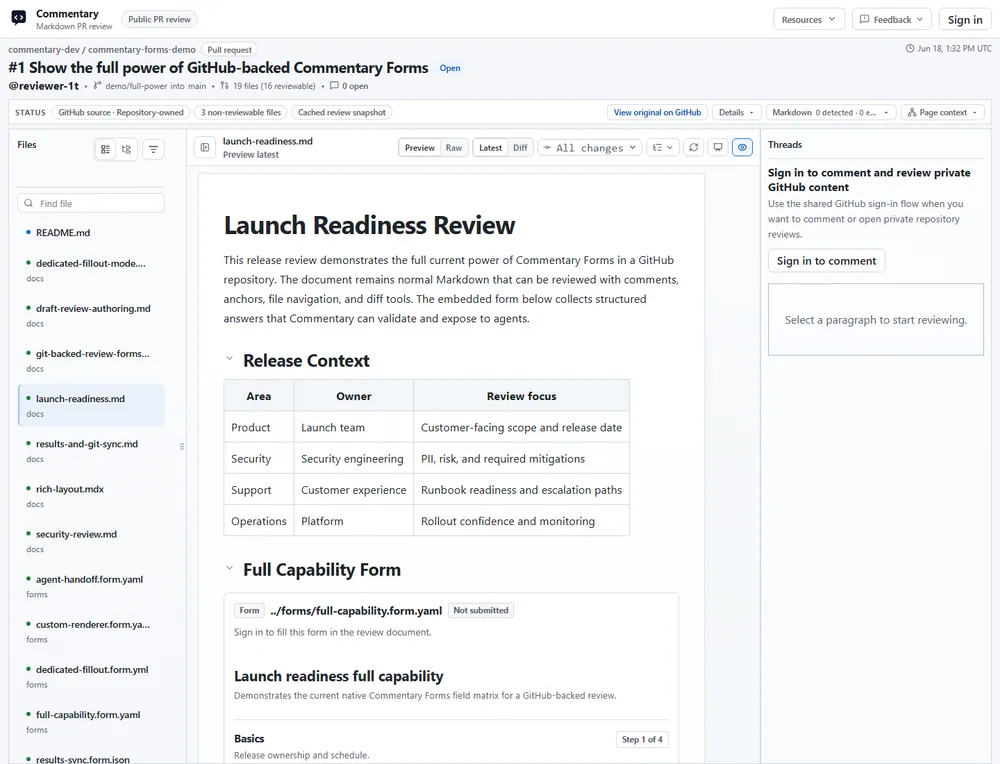
Author a source-backed Form
Section titled “Author a source-backed Form”Inspect the public Forms example to see a Form in its review context. Reading the example does not submit a response.
Create or edit a Form Contract in a Markdown/MDX source, a standalone .form.yaml, .form.yml, or .form.json file, static HTML, or Draft Review. The workspace discovers source-backed Forms and results; it is not a separate Form authoring editor.
Here is a minimal contract:
commentaryForm: 1id: release-readinesstitle: Release readinessdescription: Record the final release checks.schema: type: object additionalProperties: false required: [reviewer, riskLevel] properties: reviewer: type: string title: Reviewer fieldKind: text minLength: 2 maxLength: 80 riskLevel: type: string title: Risk level fieldKind: dropdown enum: [low, medium, high] notes: type: string title: Notes fieldKind: textarea maxLength: 4000submit: destinations: - kind: commentary enabled: trueWith this contract, a participant sees a required Reviewer field, a required Risk level selector with Low/Medium/High choices, and optional Notes. Final submission returns field diagnostics if either required value is missing.
Validate the contract before asking participants to fill it in. The server validates final answers against the current contract; client-side checks only help users correct input sooner.
Collect answers
Section titled “Collect answers”- Open the source-backed Form in the review surface and check its Preview and Raw views.
- Use Review mode to inspect all questions without answering them, if the native renderer offers it.
- Share the source review with the intended participants. Form submission requires sign-in by default, including on a public read-only PR.
- For a dedicated response link, have an authorized owner create the link from the existing Form. Choose whether it accepts anonymous or authenticated submissions and revoke it when collection ends.
- Participants submit one final response; repeat submissions are allowed unless the source or link configuration says otherwise.
Review results and export
Section titled “Review results and export”Result-list permission is separate from permission to fill a Form. Draft owners can see their draft Form results. PR and branch results require a trusted source write-permission check. Response-link results belong to the link owner by default. A submitter may be able to read their own submission without seeing the full collection.
Open permitted results, inspect validation state and source context, then export JSON, YAML, or CSV where supported. A read-only result-share link may expose a results collection to its configured audience. Submitted values are product data, not analytics events.
If you enable GitHub writeback, it uses a separate write-capable GitHub App; the normal read-only app does not write repository content. Preview the canonical path and payload before explicitly writing a result. For example, a Form at forms/security-review.form.yaml writes results under forms/results/security-review/.
Expected result and recovery
Section titled “Expected result and recovery”The response is validated and attached to the exact source Form version. If final validation fails, use the returned field diagnostics to correct the response; do not treat a saved draft validation failure as a final submission. If a result list is unavailable, confirm you have result-list authority rather than only fill access.
For custom-branded UI, use the Forms SDK bridge inside an existing Live Preview Review. Commentary still owns the contract and final validation. See Form authoring and permissions, API/MCP automation, and Live Preview SDK setup.