Review a knowledge-base update
Use Knowledge Brain review for a branch that changes source notes, generated wiki pages, claims, citations, an Open Knowledge Format bundle, or agent-maintained project memory.
Open the review
Section titled “Open the review”Try the public OKF knowledge-base example. Start at its index, follow a linked concept, and compare the claim with its source before using the workflow on your own knowledge base.
- Paste the GitHub or Azure DevOps branch/repository URL on the Commentary home page.
- Sign in if the repository is private or you need to comment.
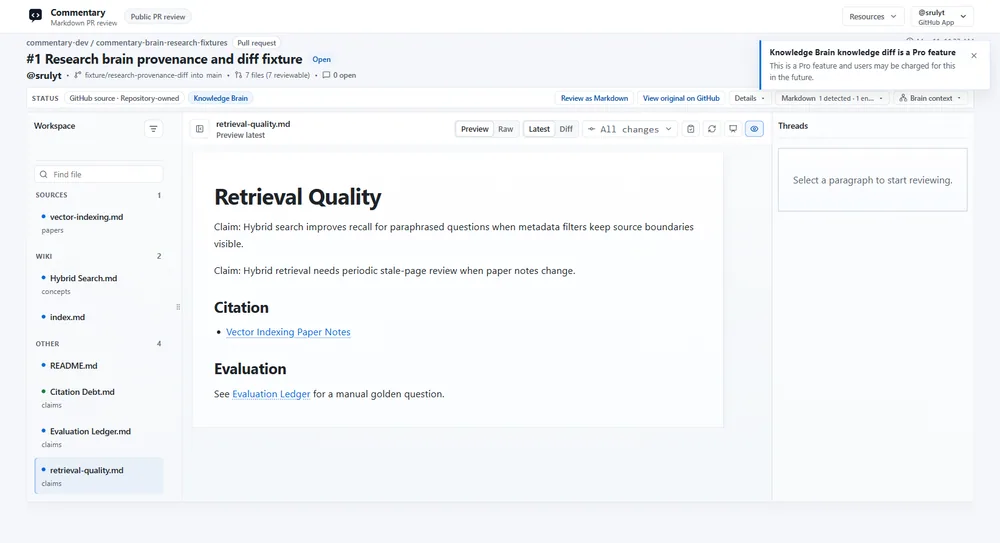
- Open the Brain-aware review and inspect the file navigator groups: sources, wiki, outputs, and supporting/control files. For an OKF bundle, also inspect concept, index, and log groups.
- Read changed documents in Preview. Use Raw or Changes for exact source and revision comparison.
Example artifact set: sources/cache-policy.md explains a 7-day retention decision, wiki/session-cache.md summarizes it, and outputs/release-brief.md recommends rollout. Trace the brief back to the source, then check whether the wiki and claim citations reflect the same policy. The navigator should expose each role together so reviewers can catch a generated page that cites an old source.
Check trust and consistency
Section titled “Check trust and consistency”Review generated claims against their source trail. Follow wikilinks/backlinks, inspect provenance and relevant source-to-wiki comparisons, then review health findings such as broken links, missing citations, duplicates, schema issues, or risky content. For relationship changes, inspect the knowledge diff and graph context. Treat automated findings as review aids, not as proof that a claim is true.
Use an evaluation ledger for explicit golden-question checks when the project has one. Distinguish a manual evaluation from a published or verified result.
Discuss and publish
Section titled “Discuss and publish”Create comments on the relevant source or generated block. If reviewing a PR, submit a provider review when ready. If reviewing a branch, comments remain app-native and do not submit a provider event. Merge or publish through the repository’s normal human-controlled process.
Expected result: reviewers can trace an output back to source and see the exact branch change under discussion. A public reader is read-only and does not expose private comments. Private Brain publishing requires sign-in. Continue to Knowledge Brain capabilities.